
I tested the affordable Ruko U11Mini 4K drone — and it's no match for DJI's new flyer
Ruko U11Mini 4K: One-minute review
DJI's dominance of the consumer drone market is so total that you have to wonder whether any rival can land a meaningful blow. The Ruko U11Mini 4K is the latest contender to step into the ring, and on paper it looks like a credible one: a sub-250g folding quadcopter with a 1/2-inch CMOS sensor, 4K video, and an optional touchscreen controller that's clearly modeled on DJI's own RC series.
Unfortunately, the closer I looked, the more the U11Mini 4K's limitations revealed themselves, and the gulf between Ruko and DJI's similarly-priced beginner drones remains huge.
In the air, the U11Mini 4K is a mixed bag. Flight is reasonably stable in calm conditions, but it's easily pushed around by wind, and during one flight I experienced an alarming voltage drop that triggered an unscheduled emergency landing. The touchscreen RC3 controller is a solid piece of hardware, and a smart way to sidestep the usual phone-pairing headaches, but its joysticks lack the precision of DJI's equivalents, making smooth, cinematic camera moves a struggle.
There's no obstacle avoidance whatsoever, and the automated flight modes feel half-baked: Point of Interest mode, for instance, simply circles wherever the drone happens to be, rather than the subject you actually want to showcase.
The camera quality is similarly inconsistent. 4K video in good light is detailed and perfectly watchable, if a little flat and lacking in dynamic range, but stills are a different story; the U11Mini 4K's exposure metering routinely blows out highlights, and there's no way to fix this reliably even when dialing back the EV.
Storage is another sore point: the drone does have a small but usable amount of internal storage, but with no USB port on the aircraft itself, getting your footage off it is a major chore, and I'd recommend sticking exclusively to a microSD card instead. One that you'll have to supply yourself, as none are included in the box.
All of this would be more forgivable if the U11Mini 4K were a budget bargain, but at around £300 (rising to £499 for the bundle I tested, with its two batteries, hard case and that RC3 controller), it's pitched at almost exactly the same price as the DJI Lito 1 — a drone that beats it comprehensively on image quality, obstacle sensing and battery life. The U11Mini 4K isn't a complete disaster, but nobody should pick one over DJI's equivalent.
Ruko U11Mini 4K: Price and availability
- Priced from around $339.99 / £300 / AU$549.99
- Touchscreen RC3 controller bundle costs $424.99 / £499
- Available now direct from Ruko and via Amazon
The Ruko U11Mini 4K is available now, sold directly through Ruko's website and via Amazon in the US, UK and Australia.
Pricing varies considerably depending on region and bundle. In the UK, the base package costs around £300, rising to £499 for the bundle I tested, which includes two batteries, a hard case, and the touchscreen RC3 controller in place of the standard smartphone-based remote.
US pricing follows a similar pattern, though at the time of writing Ruko's online store had both bundles discounted. The two-battery, hard case, RC3 controller bundle was priced at $424.99 (down from $599.99), while a separate three-battery bundle with a hard case and smartphone controller (rather than the RC3) was available for just $339.99 (down from $509.99) — making it the cheaper option overall despite the extra battery.
In Australia, Amazon lists a single-battery, smartphone controller bundle for AU$549.99, with a three-battery, hard case and smartphone controller bundle priced at AU$699.99.
In the UK and Australia, its direct rival is the recently launched DJI Lito 1. This costs £299 in the UK, while in Australia it's priced at AU$539 for the basic bundle (one battery and the RC-N3 smartphone controller) or AU$779 for the Fly More Combo (three batteries, RC-N3 controller, charging hub and shoulder bag). I'd say it's a much better value prospect than the Ruko, and shoppers should definitely consider it if they're hunting for a good entry-level model.
US buyers don't have that option, however, since due to the current DJI ban the Lito 1 isn't sold in America. That leaves older models like the DJI Mini 4K as the more relevant comparison stateside — and despite its age, it's still a better drone than the U11Mini 4K.
- Price score: 2.5/5
Ruko U11Mini 4K: Specs
Ruko U11Mini 4K | |
Camera: | 48MP 1/2-inch CMOS sensor |
Video: | 4K 30fps |
Flight modes: | Smooth, Normal, Sport |
Storage: | Internal memory + microSD card slot (up to 256GB supported) |
Battery: | 2,200mAh / up to 32 minutes flight time |
Charger type: | USB-C / Battery Charging Hub |
Weight: | 249g / 8.8oz (approx.) |
Dimensions: | 141 x 86.9 x 57.9mm / 5.55 x 3.42 x 2.28in (folded) |
Ruko U11Mini 4K: Design and build quality
- Folding design, weighing under 249g
- Optional touchscreen RC3 controller
- microSD slot supports cards up to 256GB
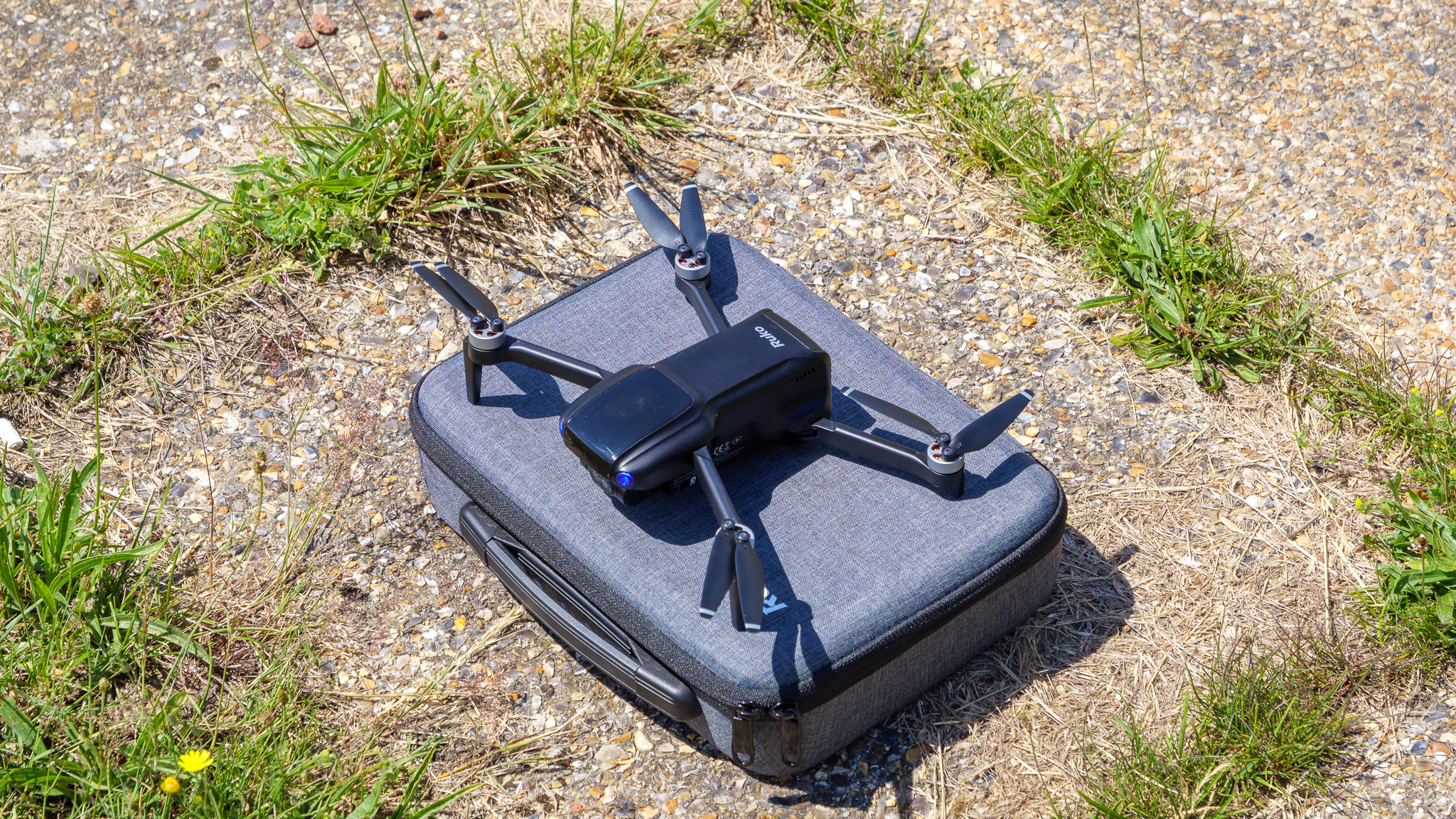
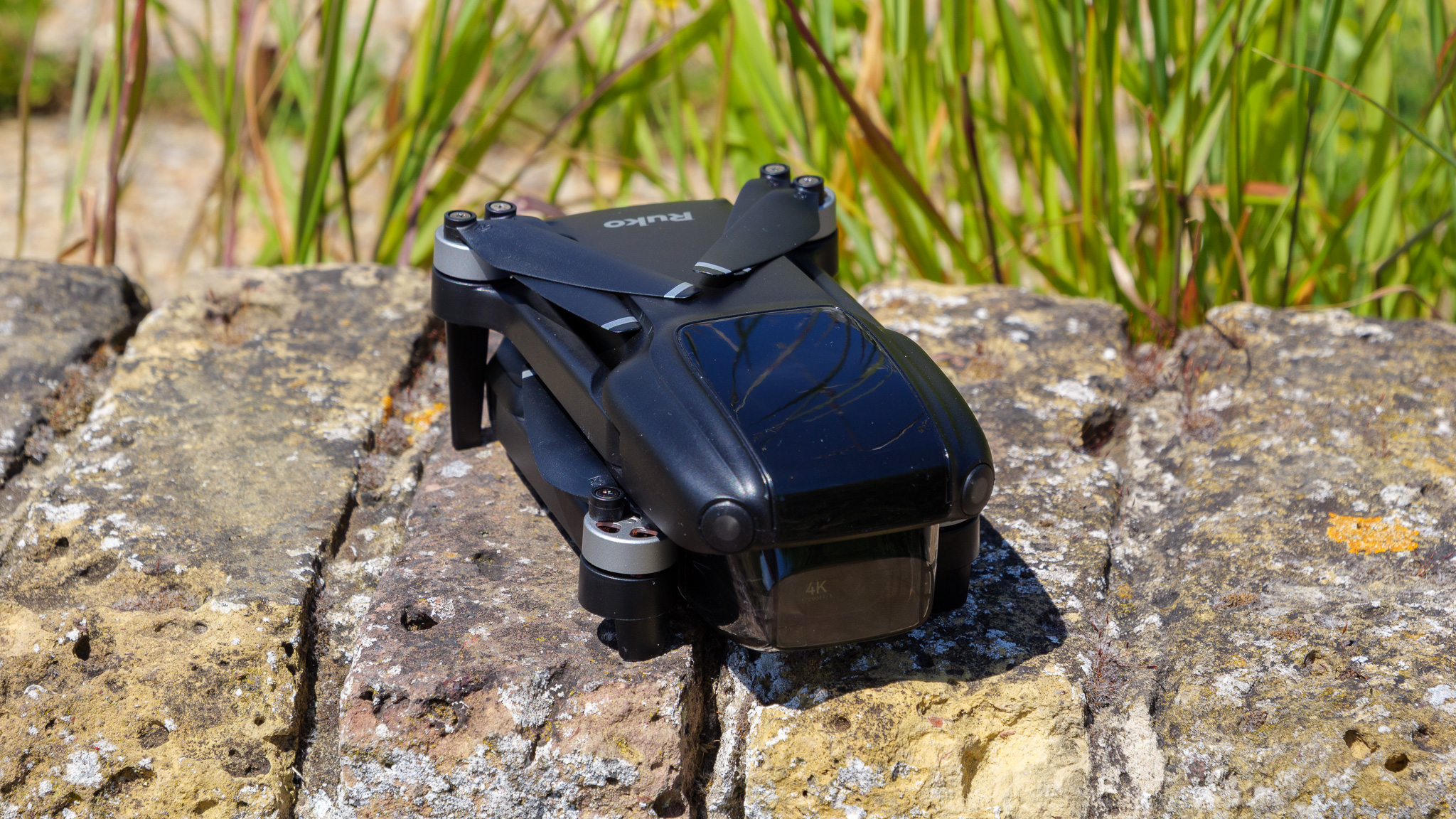
The U11Mini 4K follows the same folding quadcopter template as most sub-250g drones on the market right now, including DJI's own Mini and Lito series.
It's made from hard plastic, and folds down to a genuinely pocketable size (if we're talking coat rather than trousers, mind you). At under 249g, it sits just inside a weight threshold that exempts it from the strictest drone registration requirements in the UK, US and elsewhere.
Round the back, you'll find a microSD card slot, supporting cards up to 256GB. There's also internal storage built into the drone itself, but accessing it is far more trouble than it's worth.
That's because, bafflingly, there's no USB port anywhere on the drone. The only way to get photos and video off the internal storage is via the controller, transferring wirelessly to an app like Google Photos — a process that, in my testing, also downgraded my 4K footage to 720p in the process. So I'd strongly recommend buying a microSD card (none is included in the box) and ignoring the internal storage altogether.
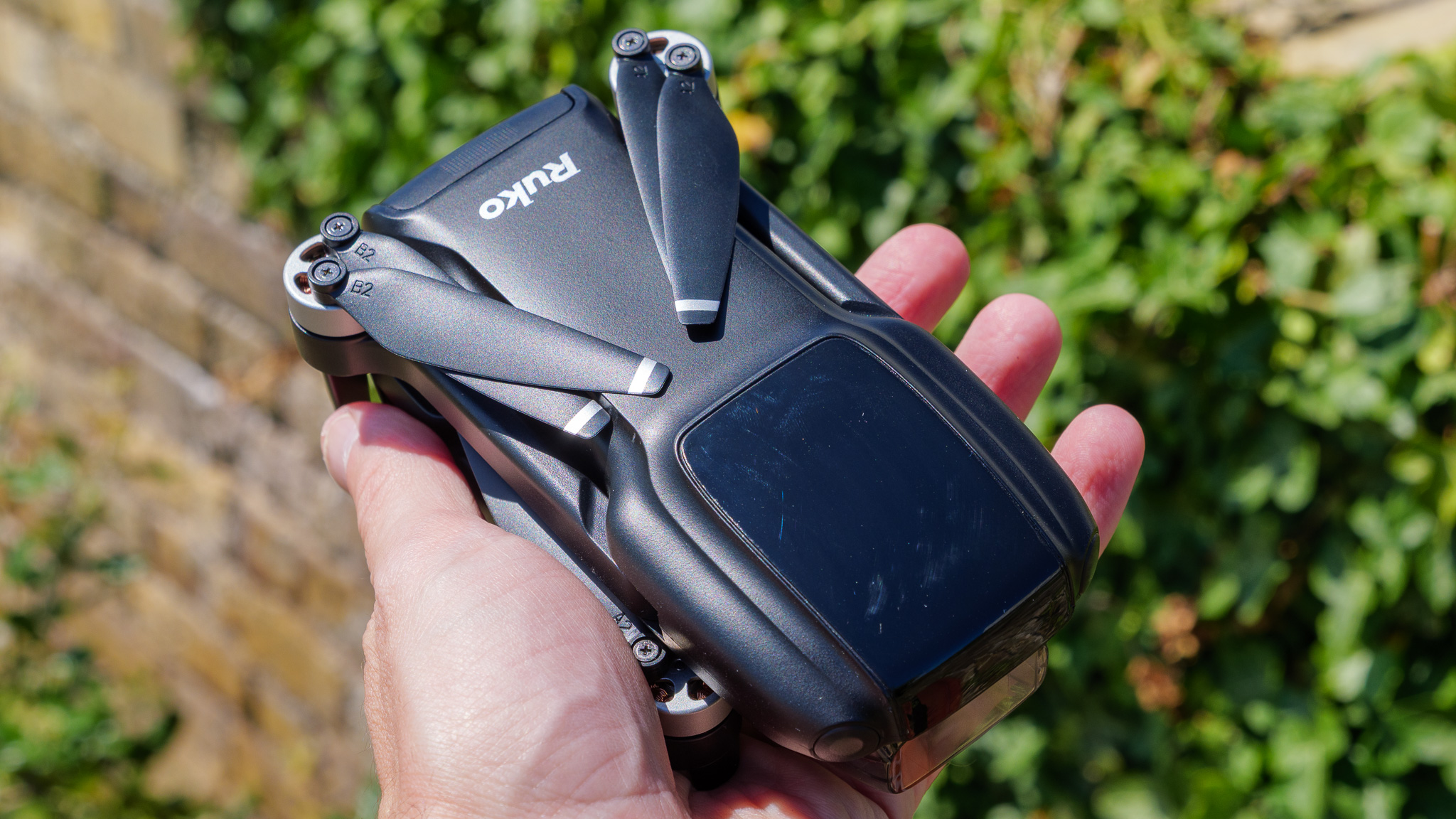
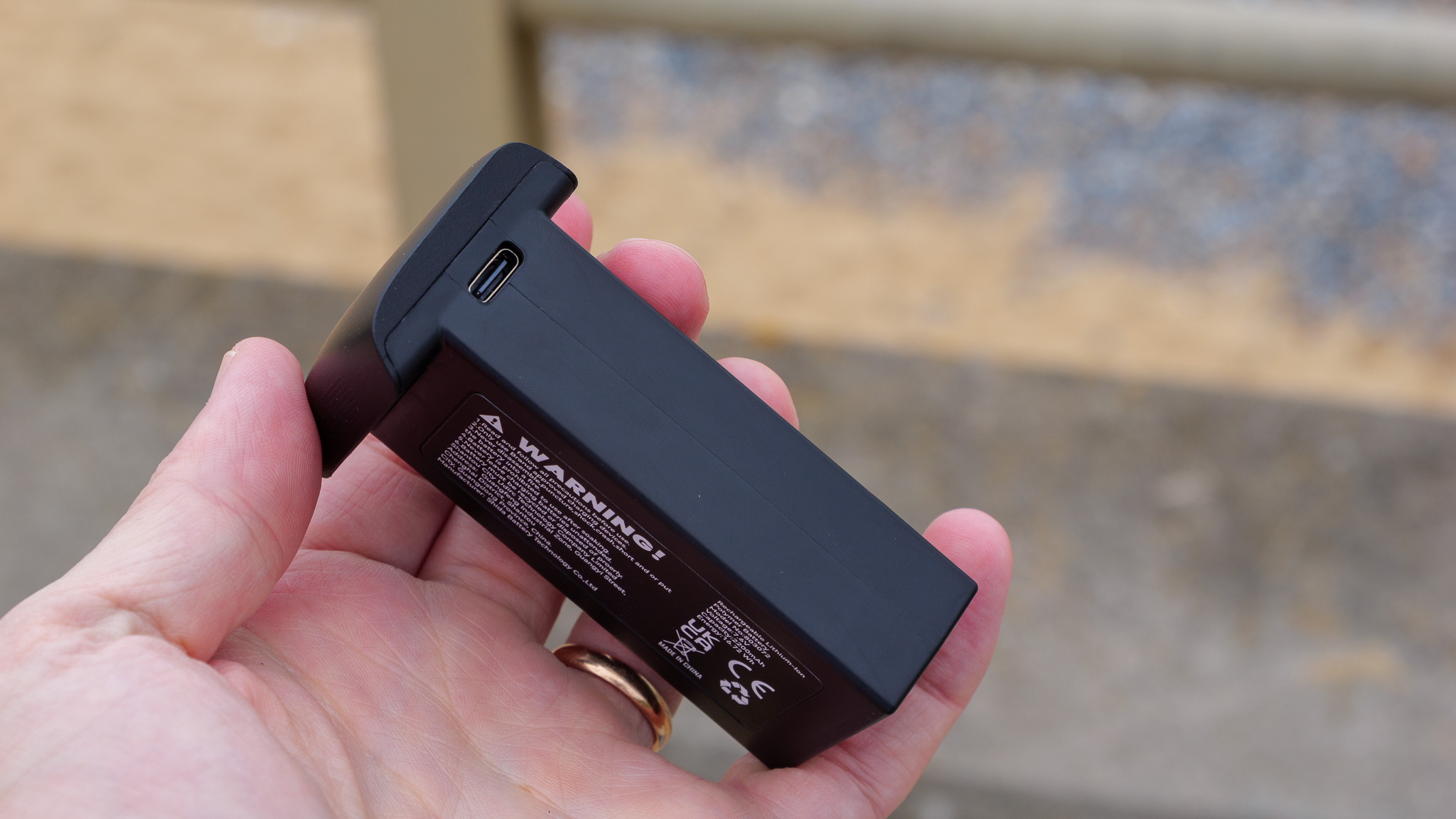
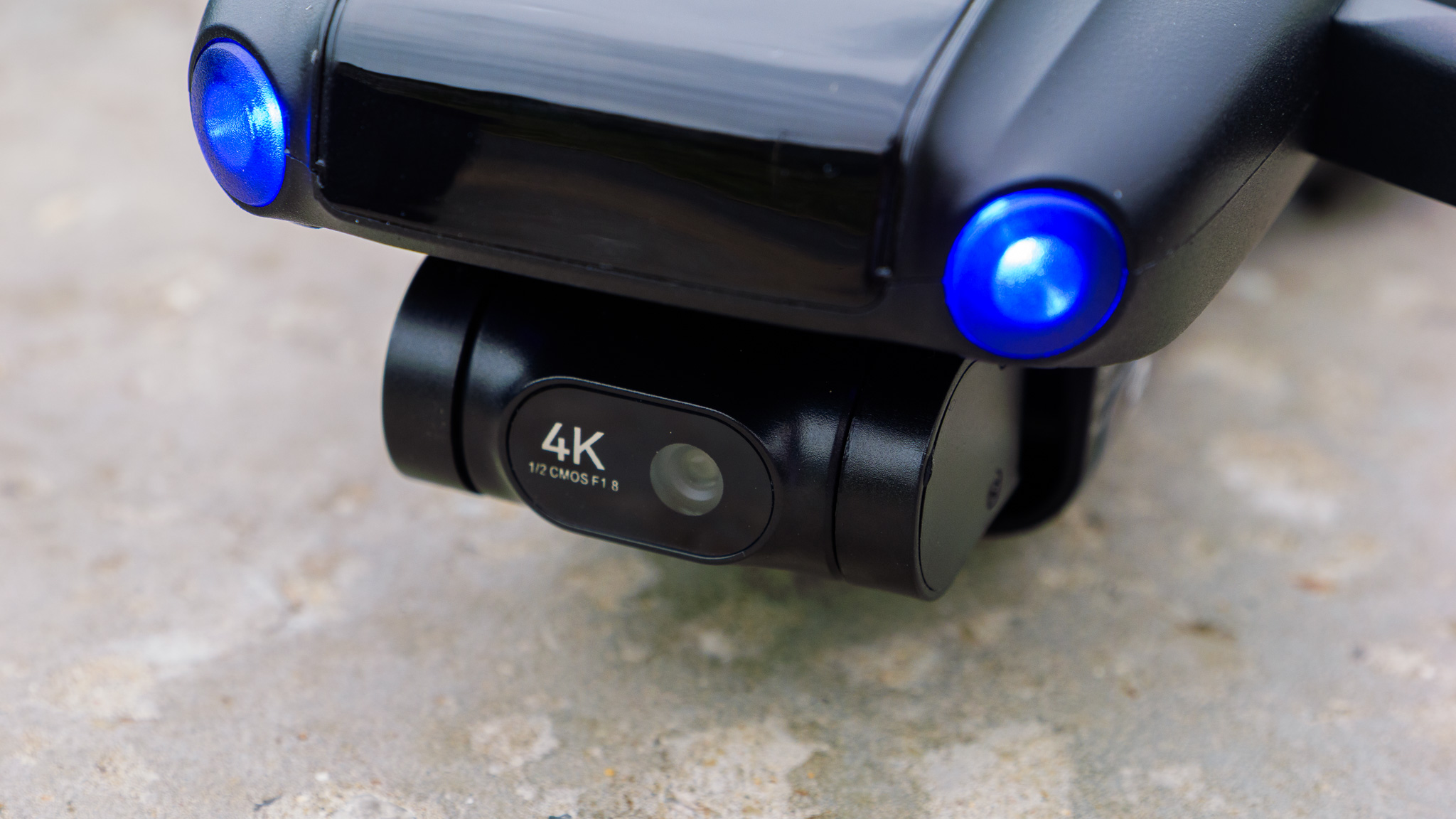
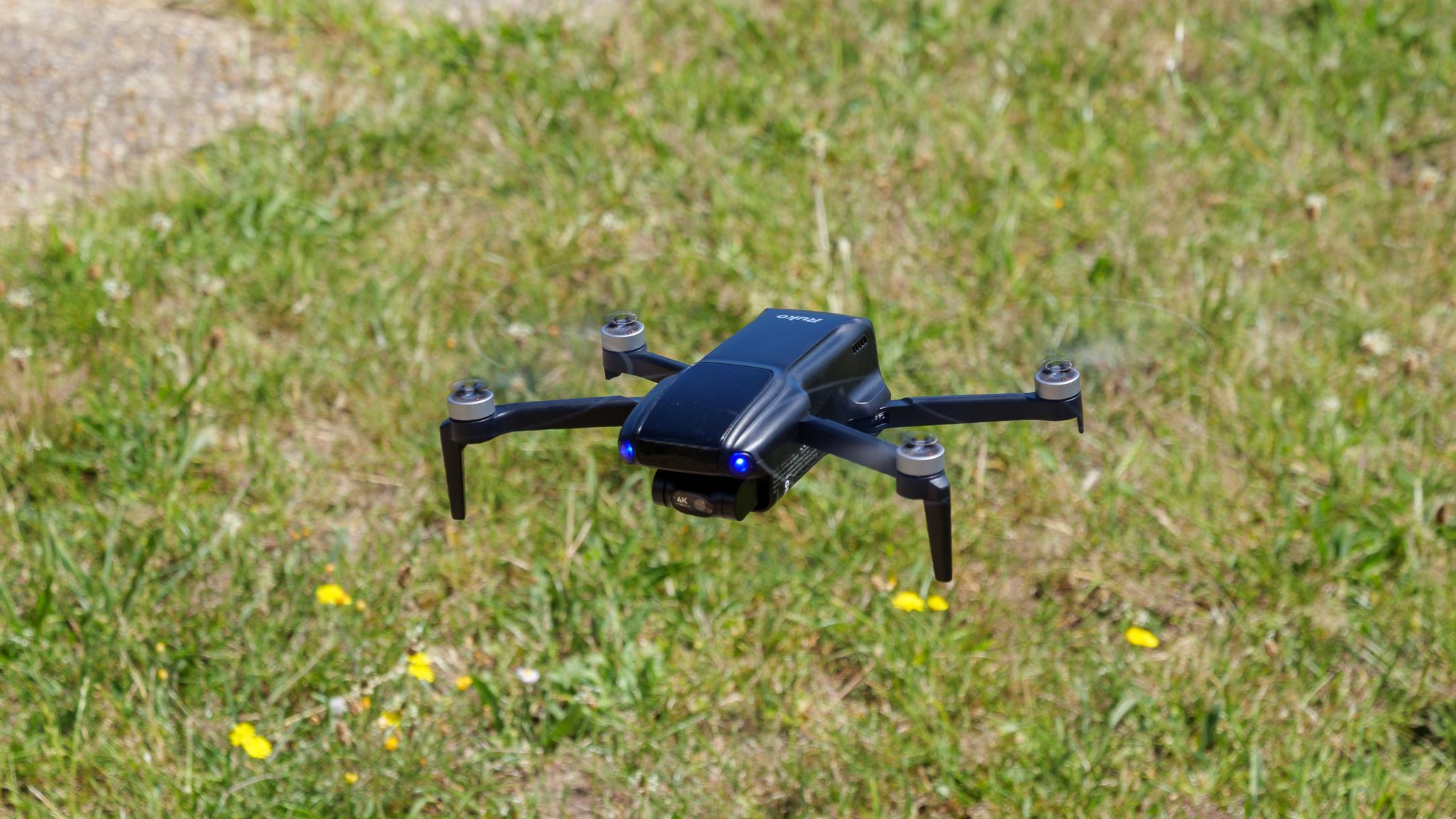
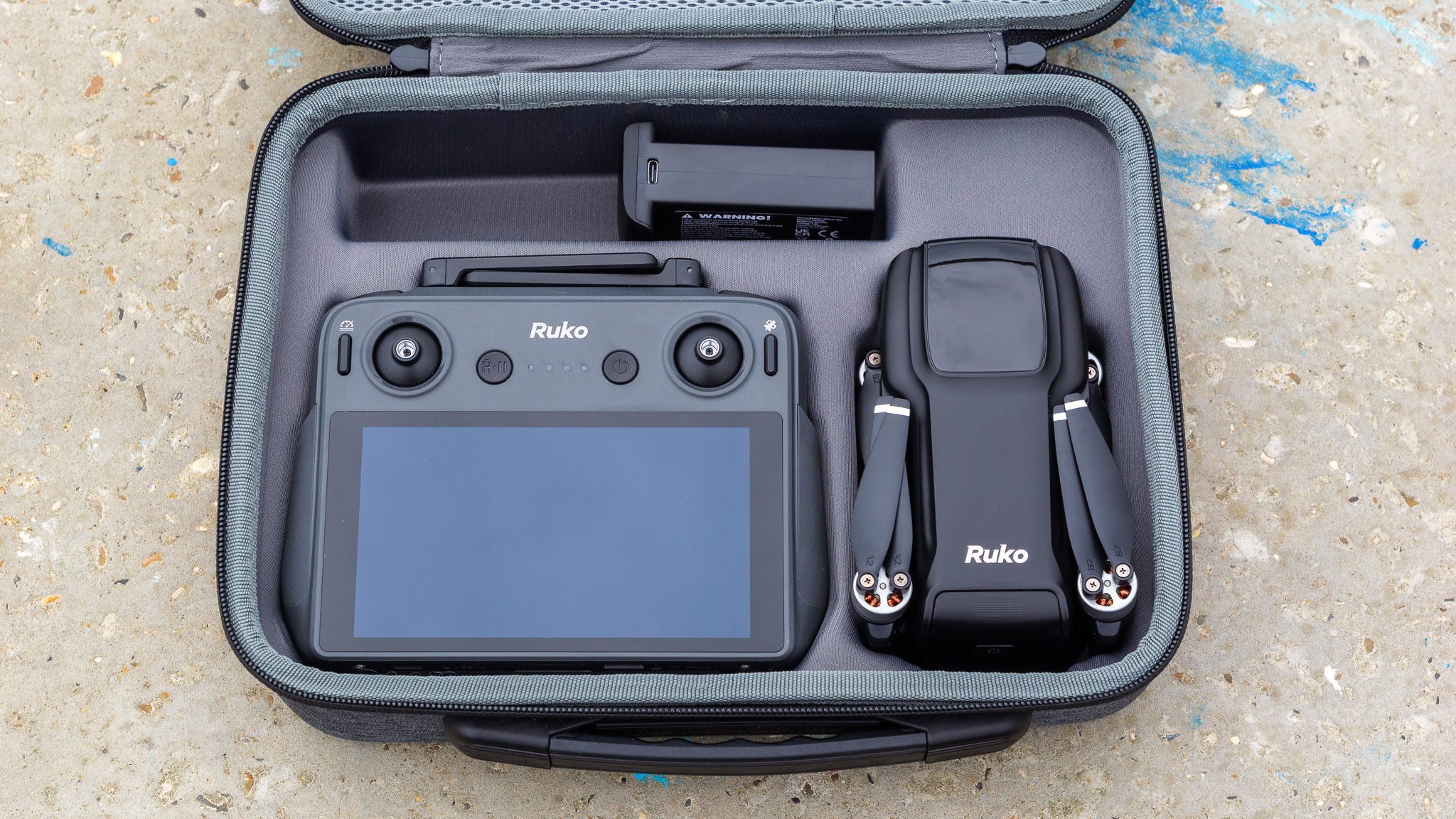
A clip-on cover is supplied to protect the camera and gimbal during transport, which is a sensible inclusion — if a little fiddly to fit and remove. Depending on the bundle you buy, you may also get a nicely sturdy hard-sided storage case, which comes with internal spaces for the controller, drone and up to two additional flight batteries.
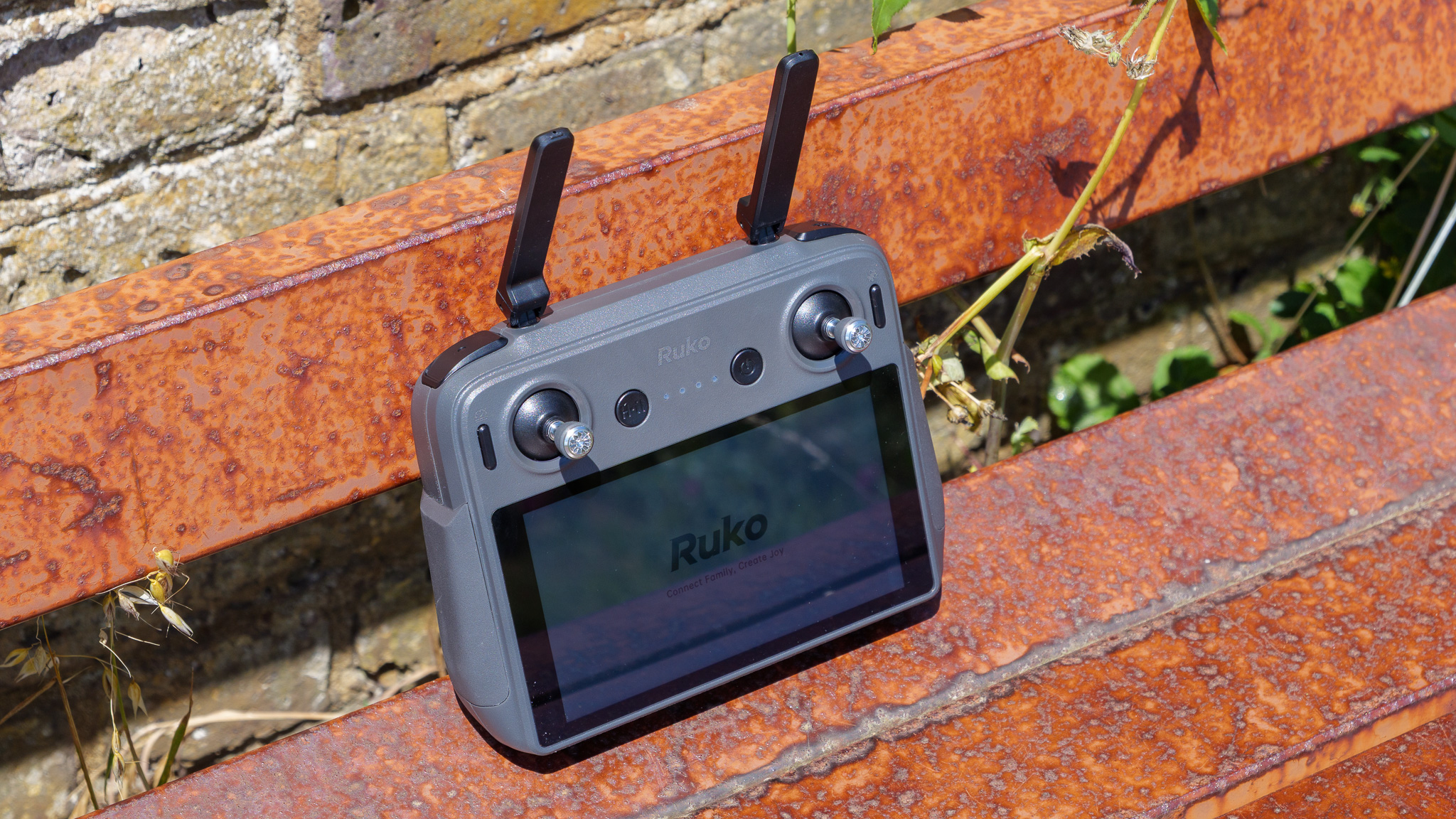
The RC3 controller from the bundle I reviewed is pretty impressive, at least at first glance. Its built-in touchscreen is clearly inspired by DJI's RC series, and it's a decent effort: solid in the hand, with a bright, crisp display. But it came with its own set of connectivity issues, refusing to play nicely with my home Wi-Fi network and preventing me from downloading the latest firmware updates. I was able to connect it to my iPhone's hotspot, so the Wi-Fi antennas evidently do work in some circumstances, but the fact they wouldn't hook up to a network that works fine with every other drone I've reviewed recently suggests there's a deeper issue here.
- Design score: 3/5
Ruko U11Mini 4K: Features and flight performance
- 32-minute quoted battery life; around 20 minutes in real-world testing
- No obstacle avoidance
- Automated flight modes feel underbaked
Ruko quotes a battery life of 32 minutes for the U11Mini 4K. In my testing, which happened mostly in fairly breezy coastal conditions, I got closer to 20 minutes before the low battery warnings kicked in.
That discrepancy might be partly down to the wind, which the U11Mini 4K isn't great at handling. Despite Ruko's claimed Level 5 wind resistance (a tolerance of 19-24mph), I watched the drone get visibly knocked around by some standard coastal gusts. You can see the resulting unevenness in the horizon line on some of my footage.
One flight also threw up a worrying issue. A few seconds after take-off, with the battery indicator initially showing around 75%, a low voltage warning flashed up, the battery indicator dropped instantly to around 10%, and I immediately effected a panicked return to home (not wanting the drone to drop straight into the sea). When I checked the battery afterwards, it was still showing roughly 75% charge. Whatever caused that mid-air voltage drop, it's not a reassuring thing to experience while flying.
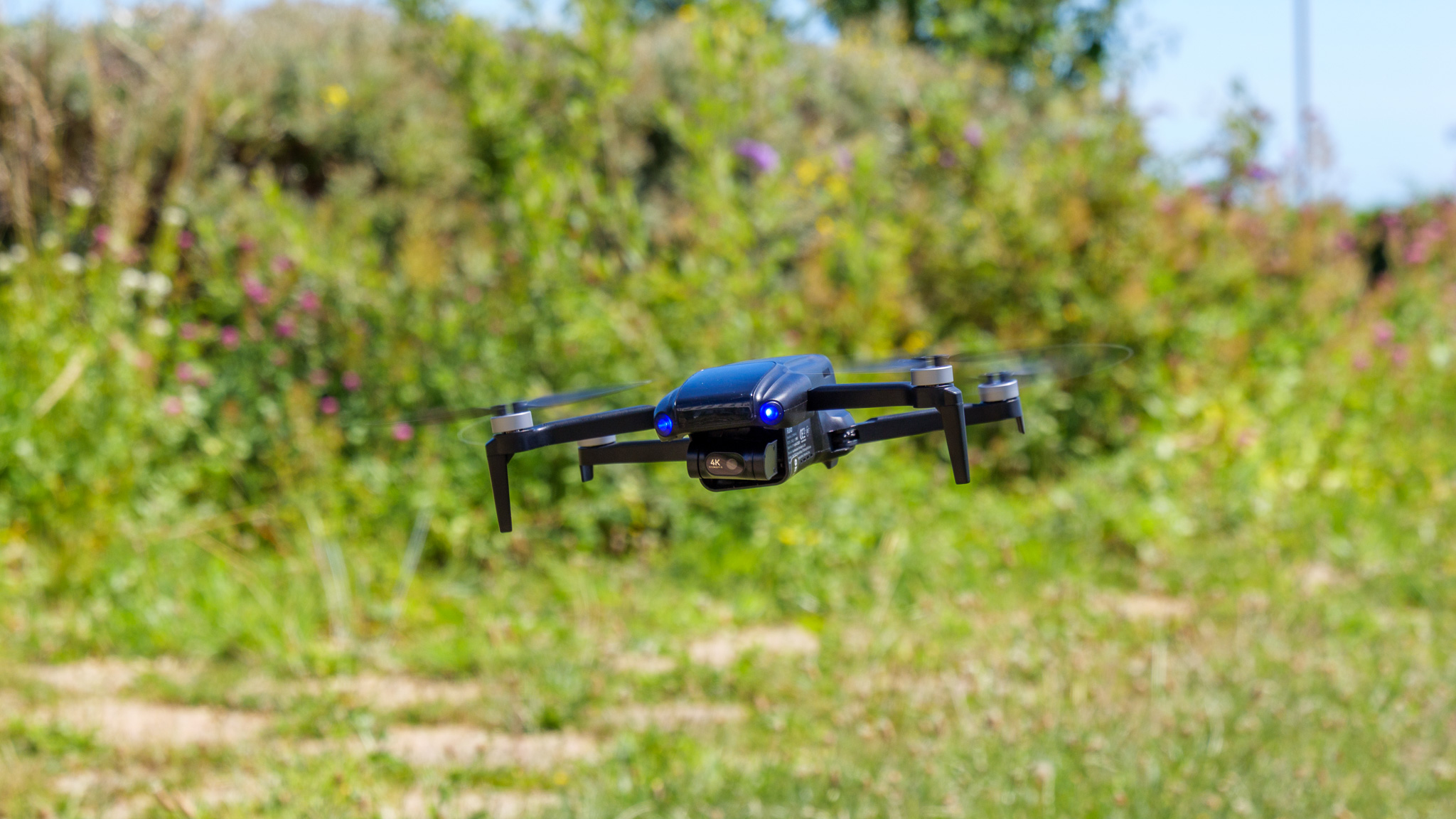
Flight itself is reasonably stable and responsive in calm conditions, but the RC3 controller's joysticks let the side down. There's a wide dead zone before inputs register, which makes smooth, considered camera moves all but impossible, and as far as I can tell there's no way to adjust stick sensitivity to compensate. With a DJI drone, the slightest stick pressure produces an immediate and proportional response; here, you're fighting the controller as much as the wind.
Obstacle avoidance is non-existent, so pilots will need to take a lot of care when flying. There's no forward, downward or omnidirectional sensing of any kind, which is a significant omission next to the DJI Lito 1's full suite of vision sensors.
The automated flight modes are similarly disappointing. Point of Interest mode, for instance, should really let you tap a subject on the touchscreen and have the drone circle it automatically; instead, it just flies in a circle around wherever it happens to be at the time, regardless of whether there's anything interesting in front of it. There's also a tracking mode that follows your phone, though I wasn't able to test this myself, since I was flying with the RC3 controller rather than a paired smartphone.
- Flight performance score: 3/5
Ruko U11Mini 4K: Image and video quality
- 1/2-inch CMOS sensor, 4K video at 30fps
- Stills are overexposed and oversharpened
- No flat/log color profile available
The U11Mini 4K's camera is built around a 1/2-inch CMOS sensor and f/1.8 lens, which on paper is perfectly respectable for a drone at this price. There's no fundamental reason a sensor of this size can't produce good aerial photos and video, but in practice, the U11Mini 4K struggles to get the most out of it.
Stills are the weaker of the two. Exposure metering is unreliable, and the camera has a strong tendency to massively overexpose, particularly in bright conditions. Even dialing back the EV compensation for photos didn't fix this consistently; I was left with whites that were blown out and stripped of any detail far too often. Zoom into the shots even slightly and they're aggressively oversharpened and algorithmically upscaled in a jarring way, too.





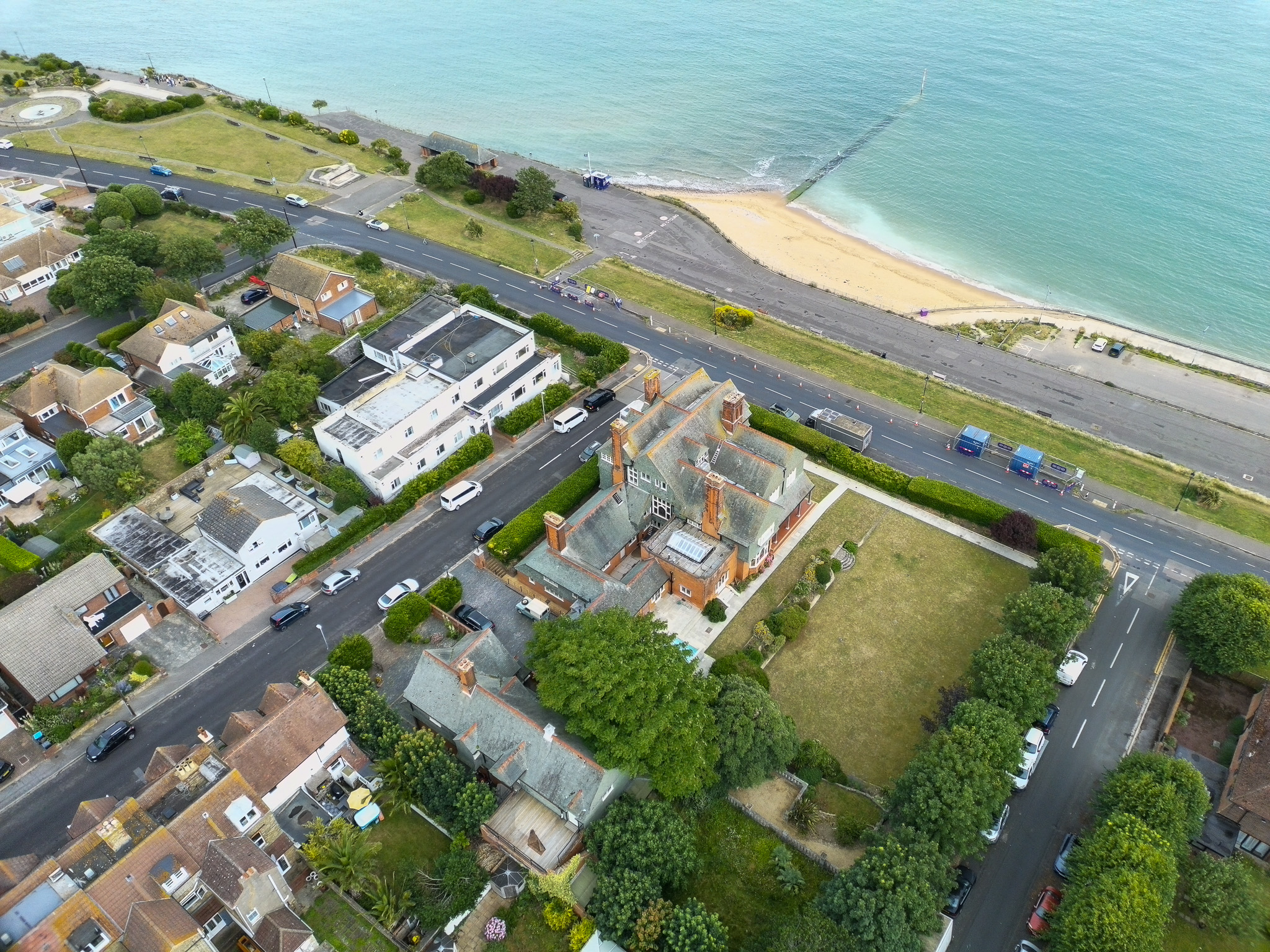

Video fares slightly better, for reasons I couldn't quite pin down. At its top quality setting — 4K at 30fps — footage is detailed and rich in good lighting, even if it lacks dynamic range and punch compared to the best in this class. Bright areas can still blow out, while shadows tend to lack detail and look slightly underexposed, but overall it's a far more usable result than the stills.
One thing that might have helped close that gap is a log color profile, but sadly there's nothing of the kind available. A log format may have given me more room to fix the exposure issues in post-production grading, but here what you capture in-camera is largely what you're stuck with, unfortunately.
- Image and video quality score: 3/5
Ruko U11Mini 4K: Testing scorecard
Attributes | Notes | Rating |
|---|---|---|
Price | Competitive on paper but matched or undercut by the superior DJI Lito 1. | 2.5/5 |
Design | Decent folding build and solid touchscreen controller, but let down by the lack of a USB port. | 3/5 |
Features and flight | Reasonably stable flying, but imprecise controls, no obstacle avoidance, and half-baked automated modes. | 3/5 |
Image and video quality | OK 4K video, but routinely overexposes and there's no log profile to compensate. | 3/5 |
Should I buy the Ruko U11Mini 4K
Buy it if...
You're a US buyer priced out of newer DJI options
With the Lito 1 unavailable in the US, the U11Mini 4K gives budget-conscious American buyers another option to weigh against older DJI models like the Mini 4K.
You want the cheapest possible 4K drone with a screen controller
If budget is your only real consideration and you can live with its flaws, the U11Mini 4K undercuts some screen-controller rivals on price.
You only ever shoot video, never stills
Video output is decent in good light, even if the photo side of things lets the side down badly.View Deal
Don't buy it if...
You can stretch to a DJI Lito 1
At the same or lower price, the Lito 1 beats the U11Mini 4K in nearly every meaningful respect.
You want precise, cinematic camera control
The RC3 controller's dead zones make smooth, considered camera movement a real struggle.View Deal
You fly somewhere with lots of hazards
There's no obstacle avoidance of any kind, a significant safety gap next to rivals like the Lito 1.
Ruko U11Mini 4K: also consider
DJI Lito 1
At the same UK and Australian price as the U11Mini 4K, the Lito 1 is simply a better drone in almost every way, with superior image quality, full obstacle avoidance and longer battery life. The only thing it can't match is the U11Mini 4K's RC3 touchscreen controller, which DJI doesn't bundle with the Lito 1 currently.
Read our in-depth DJI Lito X1/1 review
DJI Neo 2
Smaller, cheaper and a blast to fly, the tiny, whoop-style Neo 2 doesn't need a controller at all, tracking and filming you autonomously straight out of the box. Its video quality is on par with the Lito 1's, and therefore a clear step up over the U11Mini 4K's, even though it's a much more affordable drone.
Read our in-depth DJI Neo 2 review
How I tested the Ruko U11Mini 4K
- I tested all available flight modes and control methods
- I captured stills and video in a range of lighting and weather conditions
- I assessed battery life, wind resistance and file transfer in real-world use
I flew the U11Mini 4K over several sessions, in a mix of calm and breezy UK coastal conditions, to get a feel for how it handled real-world flying rather than just ideal, sheltered conditions. I tested manual flight extensively, paying close attention to stick precision and responsiveness, and also tried out the drone's automated modes to assess how well they lived up to their billing.
On the camera side, I shot both stills and 4K video in a variety of lighting conditions, later reviewing the footage and photos on a larger screen to properly judge exposure, detail and dynamic range. The footage you see embedded above was edited in DaVinci Resolve, but not color corrected. Photos were tweaked slightly in Adobe Lightroom.
I also tested battery life under real-world conditions rather than relying on Ruko's quoted 32-minute figure, and ran through the process of transferring footage off the drone via both the microSD card and the internal storage, to evaluate how easy (or otherwise) that process is for a typical buyer.
- First reviewed: July 2026
- Read more about how we test
Sam Kieldsen
July 2, 2026 at 09:30PM
Feed Latest from TechRadar
Click on the link to read more



Comments
Post a Comment